
Run existing scenarios from your AI
Keep every scenario running. Connect Make inside Keystone, and your AI can run the scenarios you choose while Keystone works across your apps, phone numbers, sites, and web apps with no API.
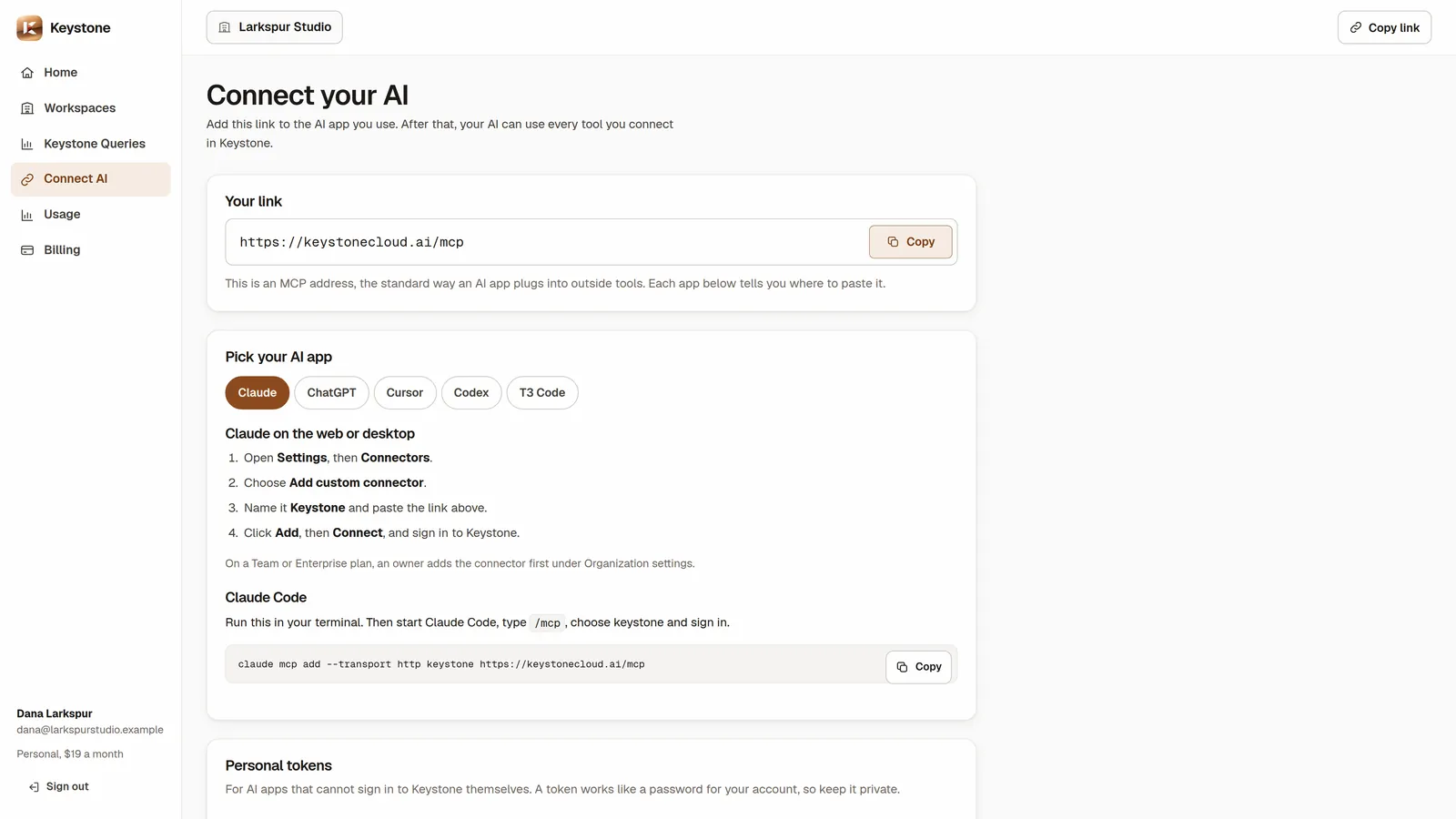
Connect your AI

For agencies and owners running client automations. Upload blueprint JSON files to review each rebuilt copy turned off, or keep scenarios running from your AI through Keystone. Usage is billed separately on every plan.
Keep every scenario running. Connect Make inside Keystone, and your AI can run the scenarios you choose while Keystone works across your apps, phone numbers, sites, and web apps with no API.
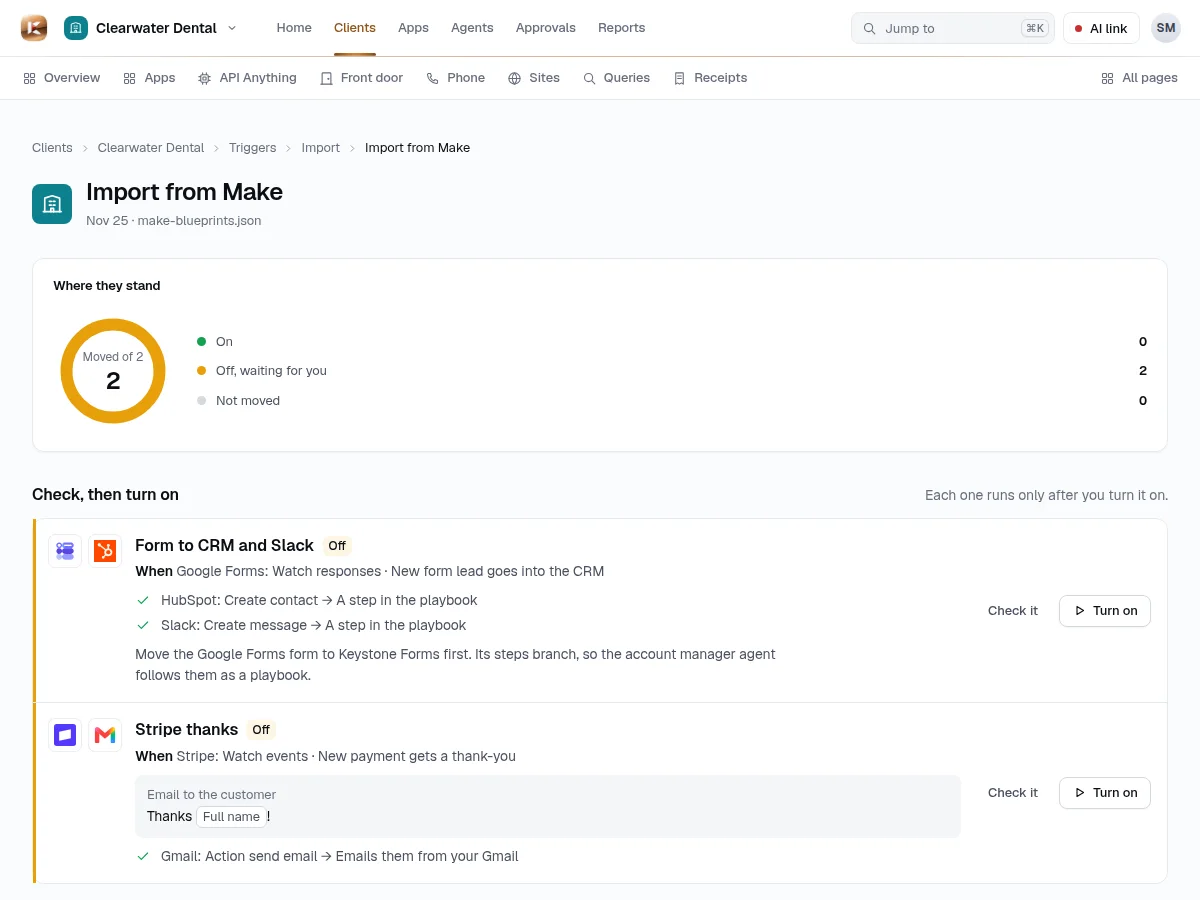
Connect your AIExport each blueprint and upload the JSON. Keystone rebuilds what it understands, then gives you a report. Everything arrives turned off until you turn it on.
Import your scenariosAdd the Keystone link to Claude, ChatGPT, Grok, Cursor, or your own app. It is the only link you add.
Sign in to your Make account once in Keystone. Your AI reaches your scenarios through Keystone.
Sarah Miller asks for lead follow-up. Keystone runs the Make scenario when the job fits and does the rest itself.
In Make, open the scenario, open the three-dots menu, then choose Export blueprint.
Keystone reads the modules, settings and mapped values. Nothing in the file runs.
The report says what moved. You connect accounts Keystone needs, check each copy, then turn it on.
Ten common automations the importer understands.

 A new form lead goes into your customer records
 A new lead gets a text right away
 A payment gets a thank-you
 A new Google review gets a reply draft
 A booking gets a text with the time
 Mail from one sender gets a label or a reply
 An overdue invoice gets a reminder
 A new lead adds a row to your sheetA payment tells you by emailAn update from another app runs an app step
| What you get | Run existing scenarios from your AI | Import scenarios with no credit meter |
|---|---|---|
| Make flows | Keep running in Make | Rebuilt in Keystone, off until you turn them on |
| AI in your work | Make runs the scenarios you choose; Keystone works around them | One Keystone link runs the moved automations and the rest |
| Monthly cost | Your Keystone plan plus Make | Your Keystone plan only |
| Credit meter | Make still counts credits | Keystone counts no credits |
| App links | Stay linked in Make | Link the accounts Keystone needs during review |
| Setup | Connect two AI links | Export a blueprint, upload it, review the report |
Phones, domains, inbox, and client tools
Automations are one piece. Every workspace includes phones, domains, inbox, billing, and safeguards for unlimited client accounts, with usage billed separately.
Move numbers in or out and we handle the transfer for you.
Connect your current phone system to Keystone in seconds.
Bring your domain to our nameservers with a full DNS editor and automatic email records.
Answer Facebook, Instagram and website chat in one shared inbox.
Build funnels, landing pages, and lead forms inside each client workspace.
Save a working client setup once and clone it for every new client.
Set your own client plans and bill each business under your agency account.
Put your agency name, logo, and domain on every client portal and link.
Send invoices and collect payment by text from the same workspace.
Preview every moved item before cutover, with one-click undo.
Translate GoHighLevel and Zapier workflows into Keystone steps you review first.
Track numbers, domains, forms, and cutover steps for each client account.
Texting trouble stays isolated and never takes down a client phone line.
Check every client number each day so spam labels get caught early.
Get alerted when a connection or lead source goes quiet, with a one-tap reconnect link.
Keep full change history and undo for every workflow, form, and page.
Spin up a staging copy of any client workspace before editing live work.
Store, retry, and replay events for agency front ends so no action drops.
Yes. Connect Make for the scenarios you keep, and connect Keystone for the rest of the business. Your AI can use both in one answer.
Yes. Make has an official MCP server, a standard way to connect an app to your AI. It can run active scenarios on every plan; tools that change your Make setup need a paid plan.
The scenario blueprint: modules, module settings and mapped values. Connections do not travel in a blueprint, so you connect those accounts again in Keystone.
No. Every imported copy is turned off. You read the report, connect what it needs, then turn on the copies you choose.
Code modules, timers and apps Keystone does not connect yet. The report lists each one and says what to do instead.
They use Make list prices before tax, read Nov 26, 2026. Your own bill is the best source.
Import your scenariosStart free trial
AppsPricingAPI AnythingConnect your AI
Switching from somewhere else?  GoHighLevel
 Zapier
 n8n