For marketing agencies
Connect any app to your AI, even when the app has no API.
An API is how two apps talk to each other. A lot of the tools your clients use, booking portals, billing systems, industry software, never built one. Type the app name and Keystone finds a connection if one exists. If it does not, Keystone gets its own login, runs the app in a real browser on a Keystone Computer, and turns the jobs you show it into tools your AI, workflows, and agency sites can call.
Keystone Computers are $15 per workspace a month, with 15 hours included, then $0.20 an hour. API and computer use are billed by usage on every plan.
Recorded on the demo workspace.
Connect apps with an API, or run them in a cloud browser
An API is the set of commands an app offers so other apps can read and change its data. API Anything connects an app to your AI whether or not it has one.
- 1
The app has an API
Type the app name and the jobs you want. Keystone finds the docs, connects through the vendor’s sign-in or a key typed on a secure page, then writes and tests the tools.
- 2
The app has no API
Keystone joins the app like a new employee, with its own email, password and sign-in codes. It runs the app in a real browser on a Keystone Computer and turns the jobs you show it into tools.
If Keystone finds an API while you set up the computer path, it offers the API path instead.
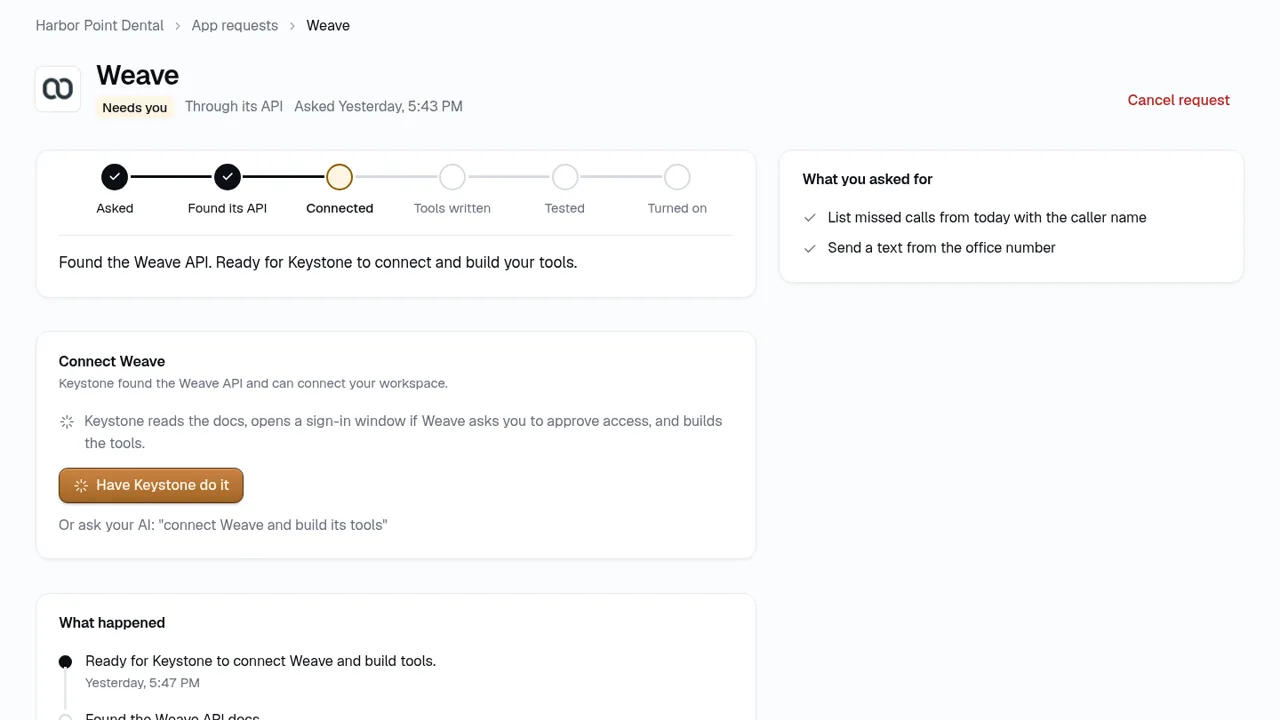
How Keystone connects an app, with or without an API
When the app has an API, Keystone builds tools on it. When it doesn’t, Keystone joins the app as its own user and works it in a real browser. Pick a step to see its screen.
When the app has an API
Keystone builds tools on the app’s own API and keeps the key on its side.
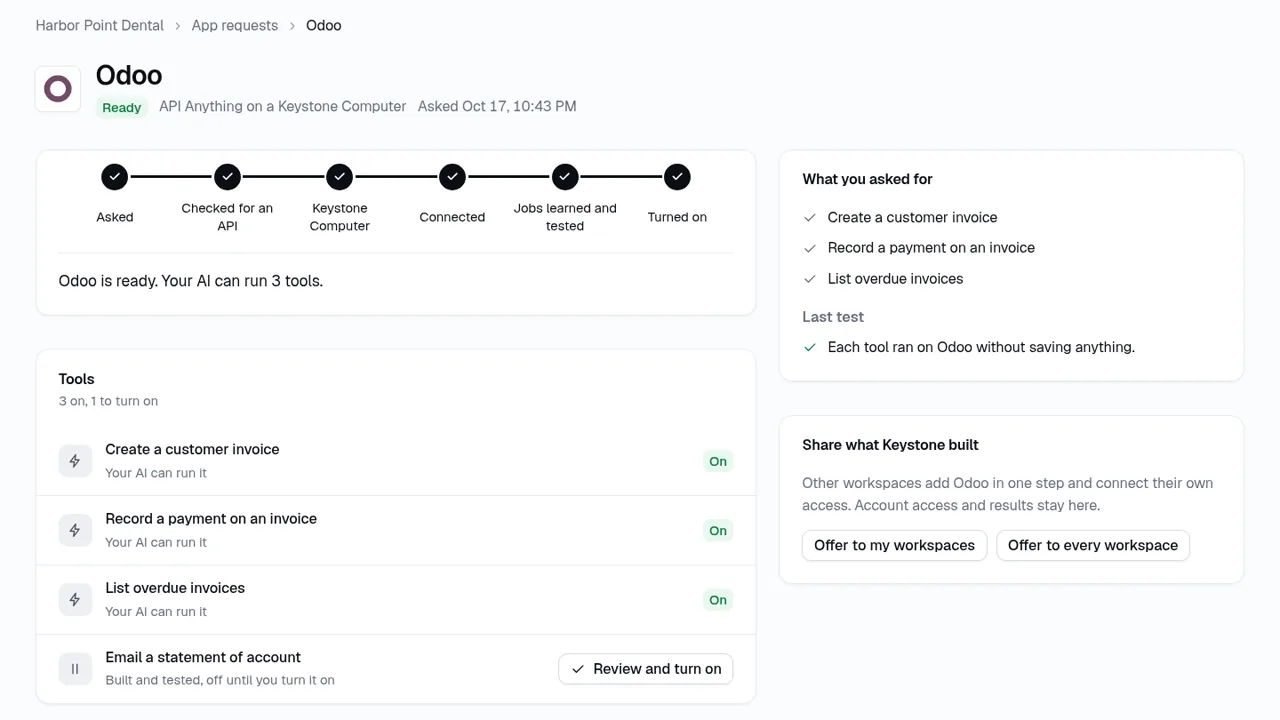
When the app has no API
Keystone joins the app as its own user and works it in a real browser on a Keystone Computer.
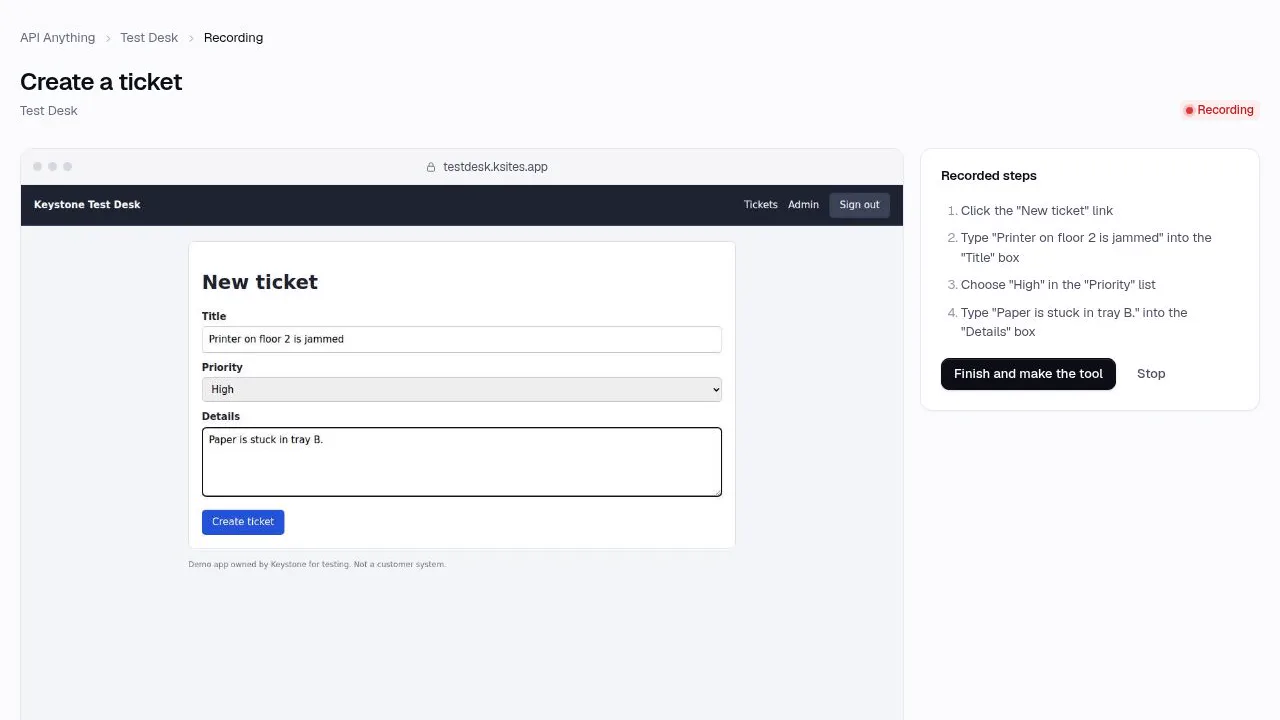
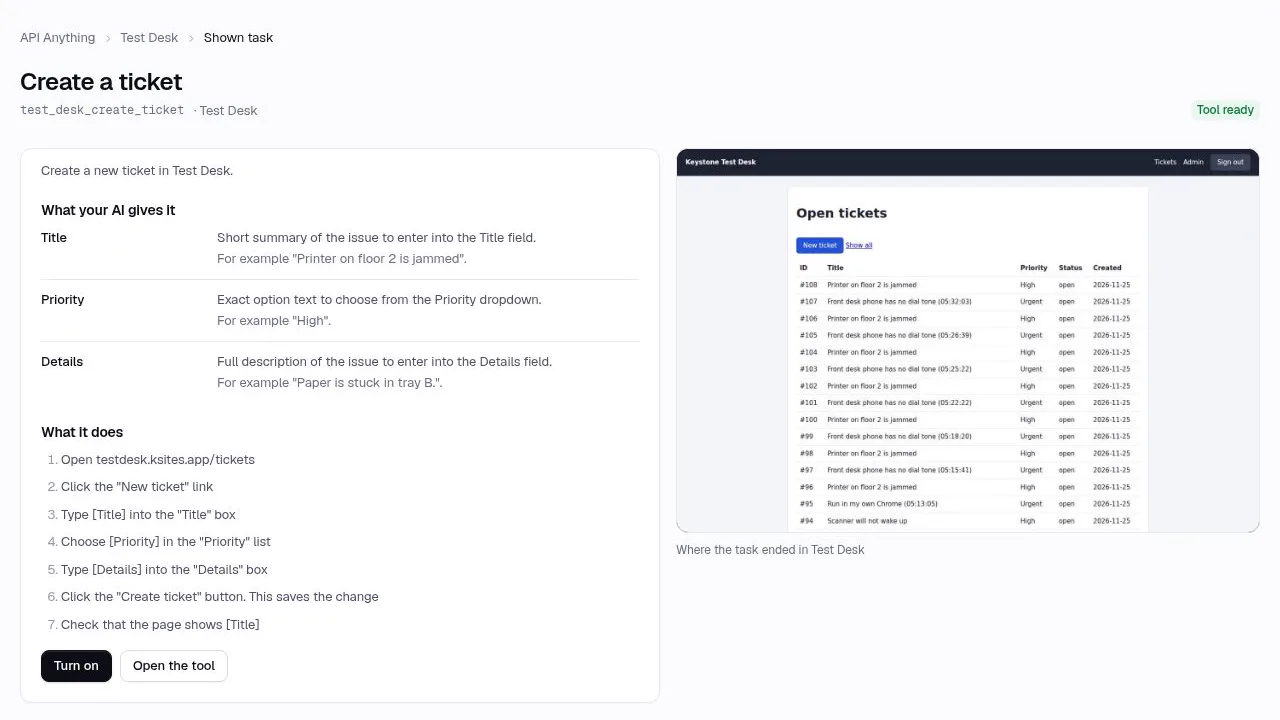
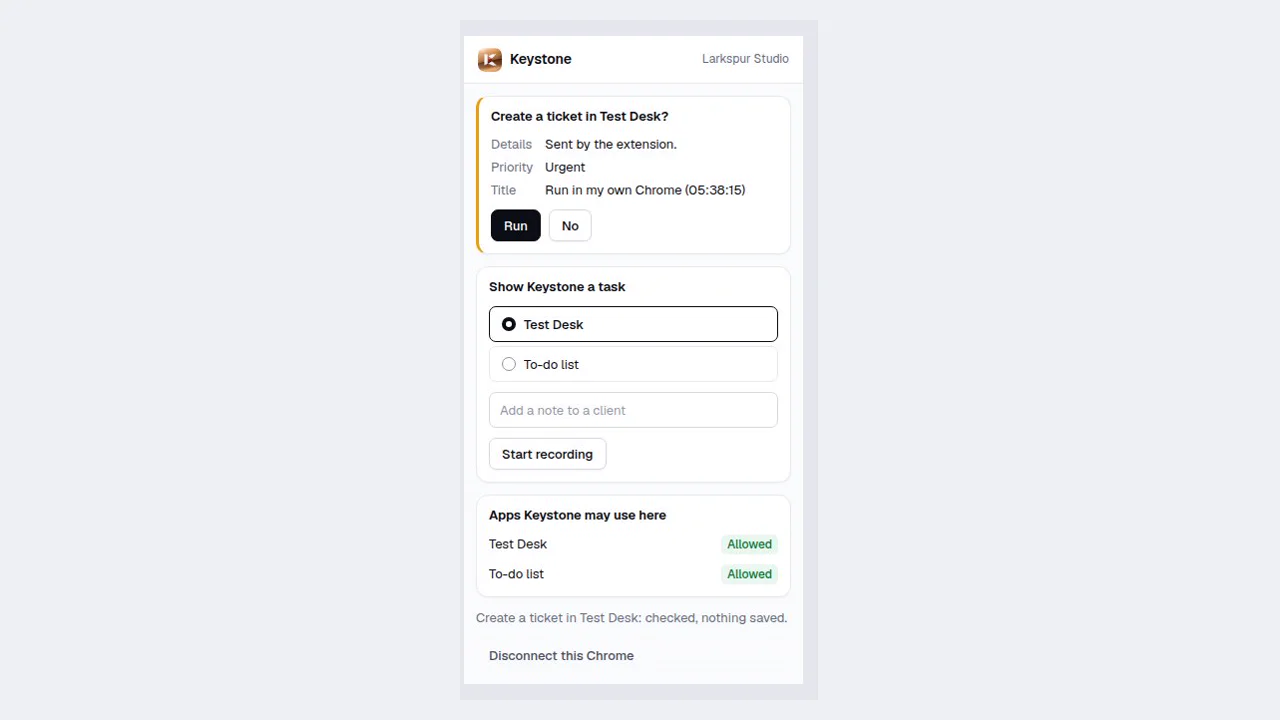

When you add an app on the no-API path, Keystone checks in the background whether the app has an API. If it finds one, it offers the API path instead.
Automate niche tools, booking portals and in-house client apps
Most clients run at least one app that nothing connects to. API Anything puts it in reach of your AI.
A niche industry tool
Your client runs the business on software no app catalog lists.
A booking portal with no connector
Appointments live in a portal your AI could not reach before.
A client’s in-house system
The client built its own scheduling or billing screens years ago.
Next to 1,700+ apps
Most client apps are already in Keystone’s catalog of 1,700+ apps and connect there directly. API Anything covers the rest, in the same client workspace. You add one link to your AI, Keystone, and every app connects inside it.
Keystone is the unlimited platform for agencies. Start from Keystone’s templates or run any front end you build, Redshift or your own AI, on API Anything and 1,700+ apps. There is no cap on clients, workspaces or front ends.
See the 1,700+ apps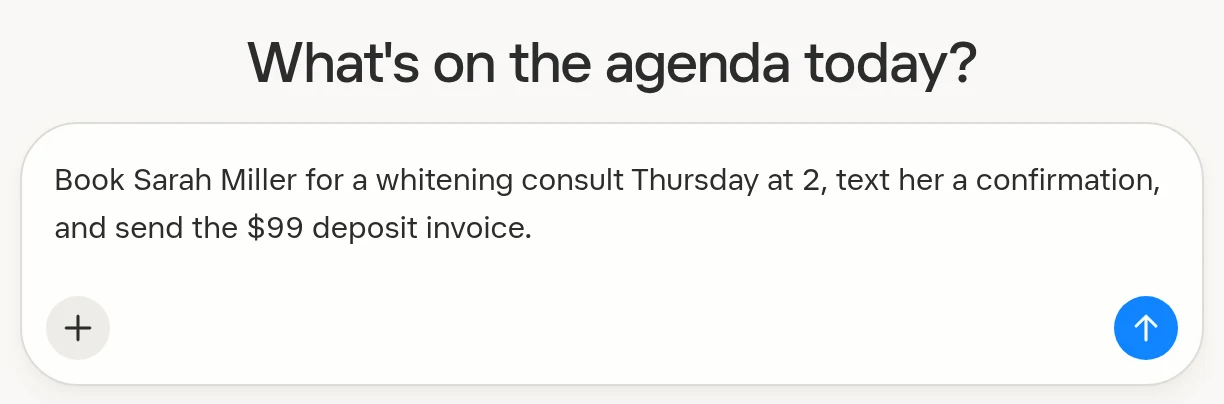
Five ways Keystone signs in to an app
Pick one per app. When an app asks for 2FA, the code check at sign-in, Keystone handles that step for the logins it owns.
-
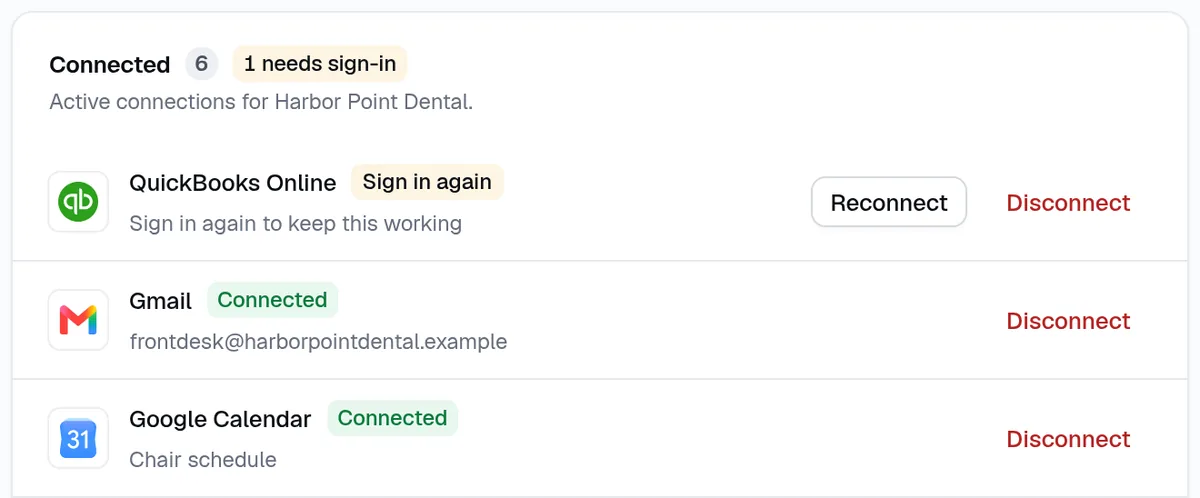
The app’s own sign-in
For apps in the 1,700+ catalog. You sign in on the vendor’s page and approve access, so Keystone never holds the password.
-
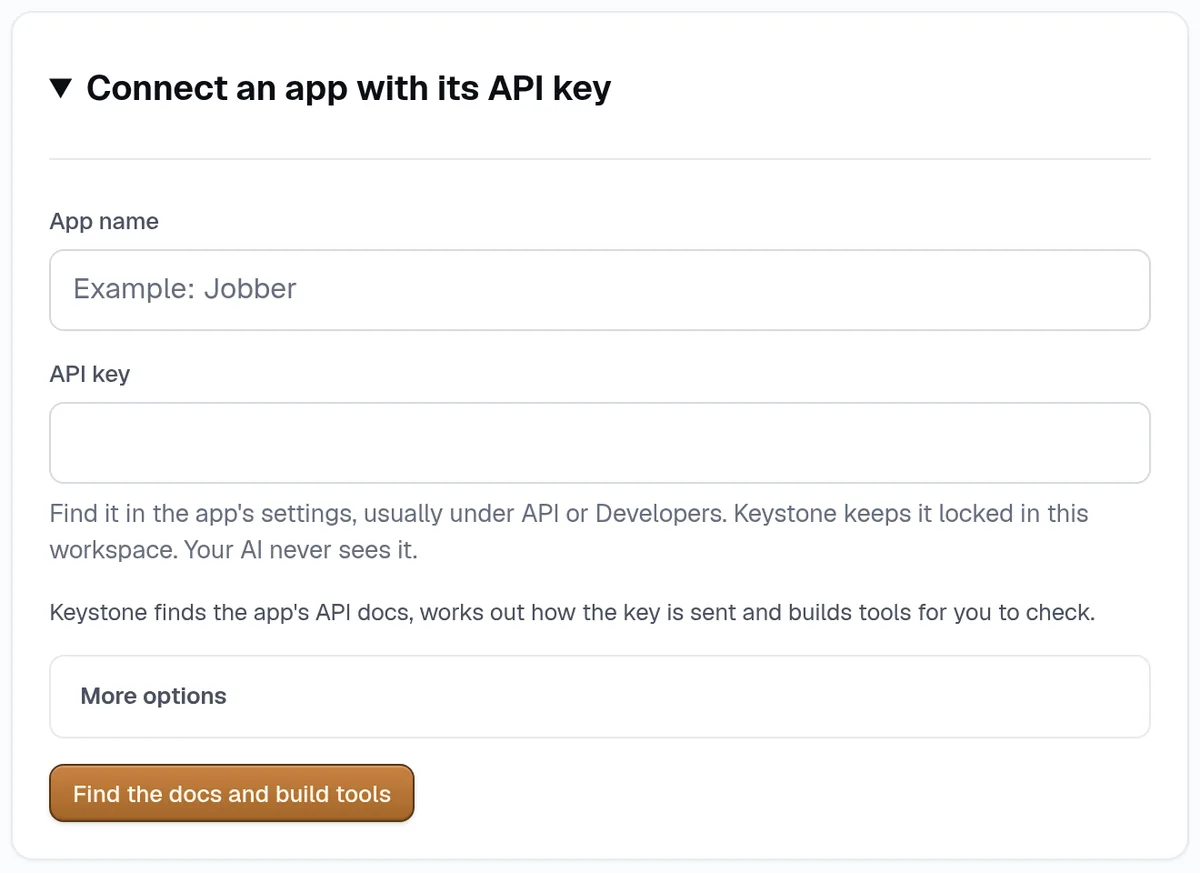
An API key on a secure page
Paste the key on a Keystone page, never in chat. Keystone stores it encrypted for that client, and no tool ever returns it.
-
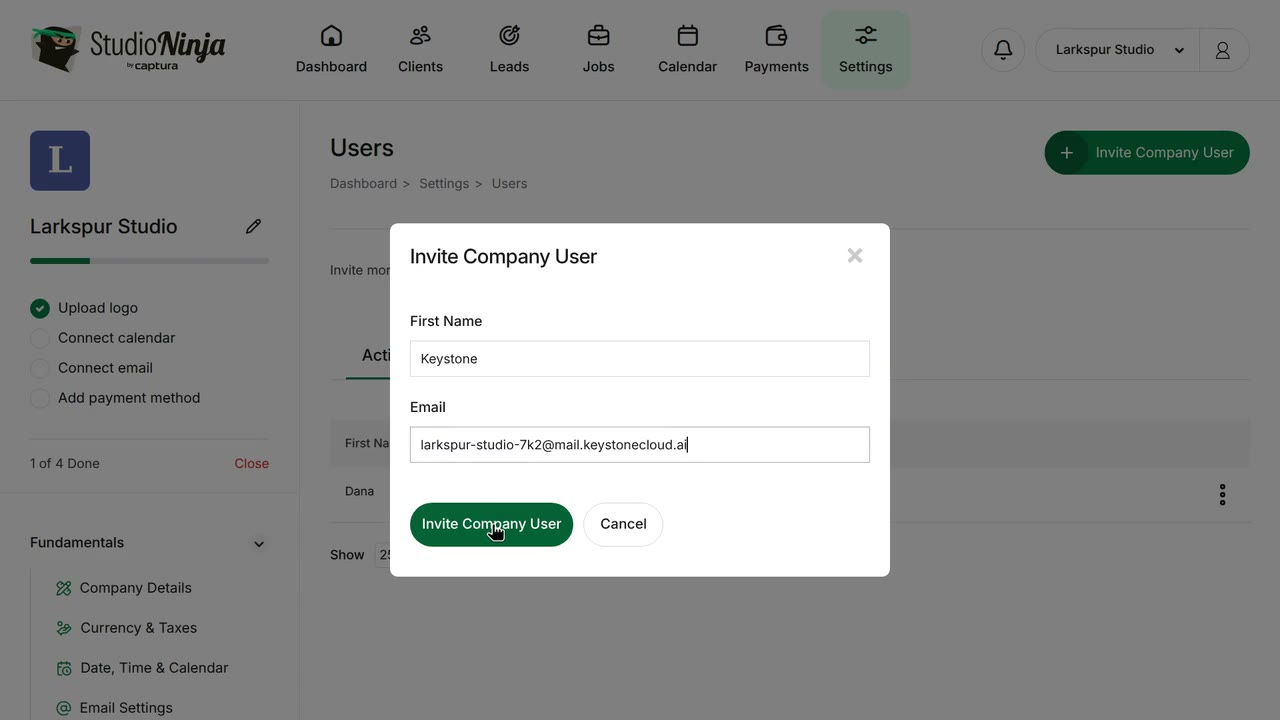
Invite Keystone as a new user
The best way into an app with no API. Keystone has its own email and phone number, sets its own password and keeps its own authenticator for 2FA. The email can move to your client’s domain.

-
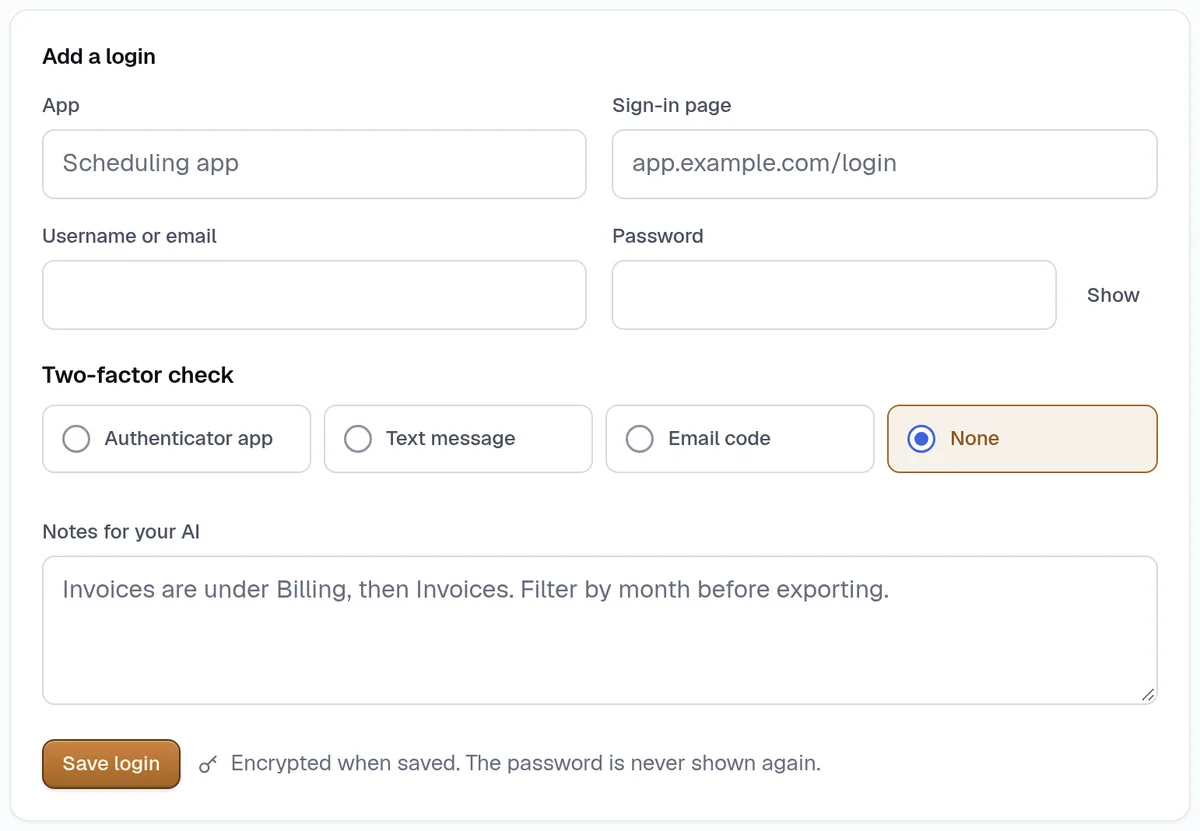
A login the client already has
Type it on a secure page, with how the app sends its code. It is encrypted for that client and never shown again.
-
Your own Chrome
For apps that turn cloud computers away or text codes to your phone. Keystone runs the job in your Chrome, where you are already signed in.
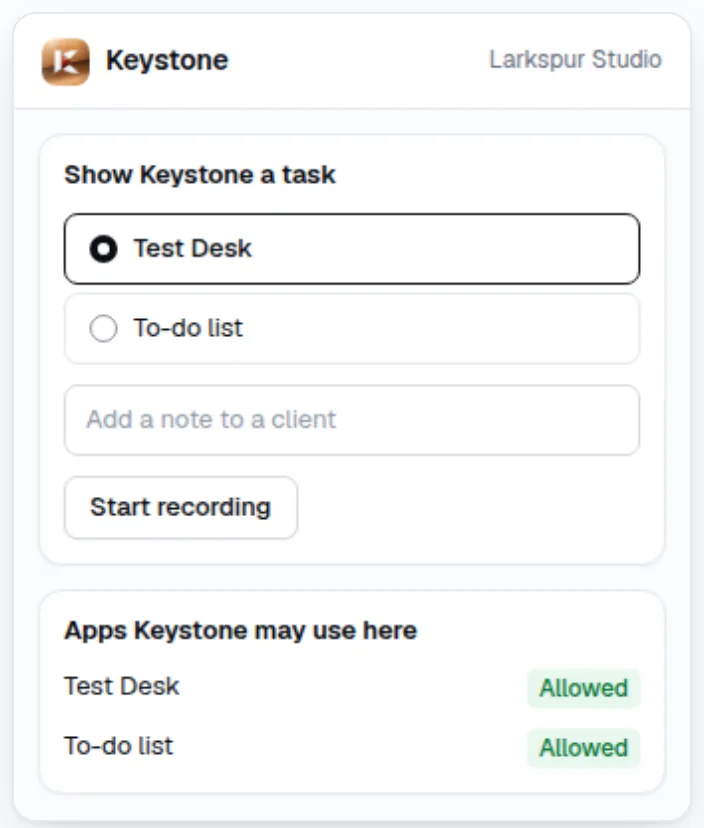
Screens from the demo workspace.
Approvals and separate client workspaces
Each client gets its own workspace with its own approval rules, so one client’s apps, logins and tools never mix with another’s.
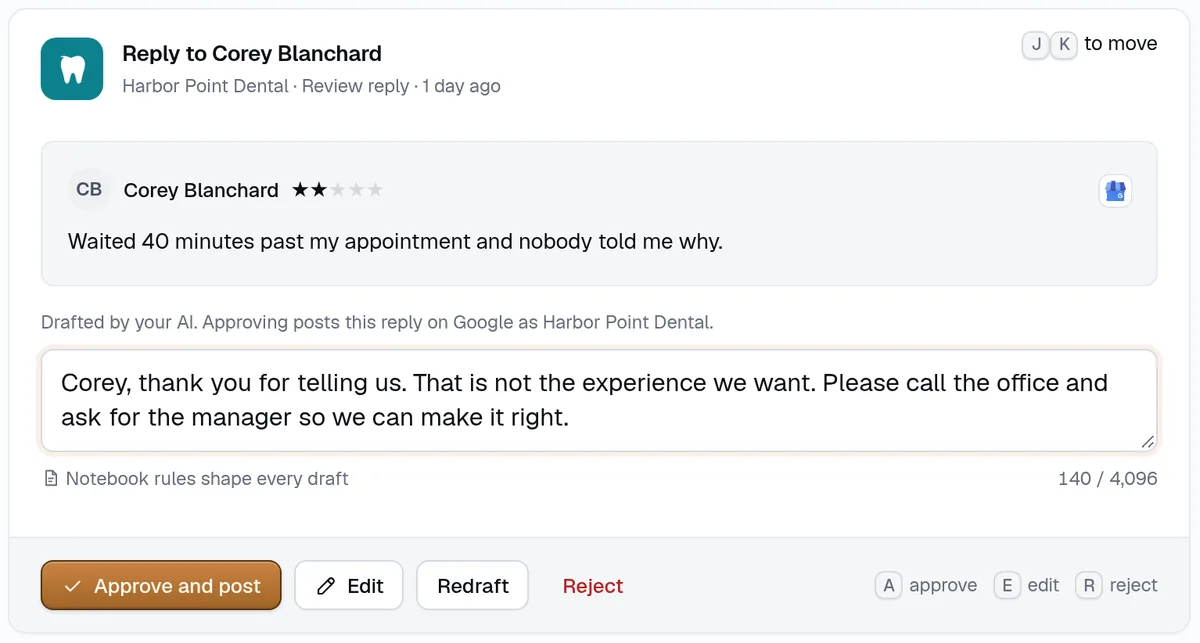
One workspace per client
Keystone picks the workspace from your token plus the workspace slug or id, or the
X-Keystone-Workspaceheader, and checks that it belongs to your account.Risky jobs wait for a yes
Sends, spending, deletes and turning on Computers follow the workspace’s approval rules. Your AI gets HTTP 202 with
needs_approvaland anapprove_urlto share.Only a person approves
Typing
approved: trueinto a request approves nothing. An owner or admin approves on the approval page or in the AI app’s own prompt.Every use is on record
Each
login_usegoes in the audit trail with the reason your AI gave, and every run is logged with its tool, app and computer time.Secrets stay out of answers
Tools never return passwords, codes or cookies. API Anything deletes its failure screenshots after 7 days.
Use it from your AI, your workflows or your own app
Every tool API Anything learns becomes a Keystone tool, so it runs everywhere Keystone does: in templates, in Redshift, or in a front end your agency builds.
Your AI, through MCP
Add one Keystone link in Claude, ChatGPT, Grok, Cursor, Codex or T3 Code, and your AI can use every Keystone tool over MCP (Model Context Protocol). Your clients’ apps connect inside Keystone, so that one link reaches all of them.
Connect your AIYour Keystone link
https://keystonecloud.ai/mcp Your own site or app, over REST
REST is the plain web request any developer’s code can send. Call any tool with POST https://keystonecloud.ai/ and a personal ks_ token. Approvals and client workspaces work the same as in your AI.
curl -X POST https://keystonecloud.ai/v1/tools/anything_run \
  -H "Authorization: Bearer ks_YOUR_TOKEN" \
  -H "X-Keystone-Workspace: harbor-point-dental" \
  -H "Content-Type: application/json" \
-d '{"tool": "odoo_list_overdue_invoices"}'Workflows
A workflow runs Keystone tools by itself when something happens, like a missed call or a new form. Any tool works as a step, including one API Anything learned.
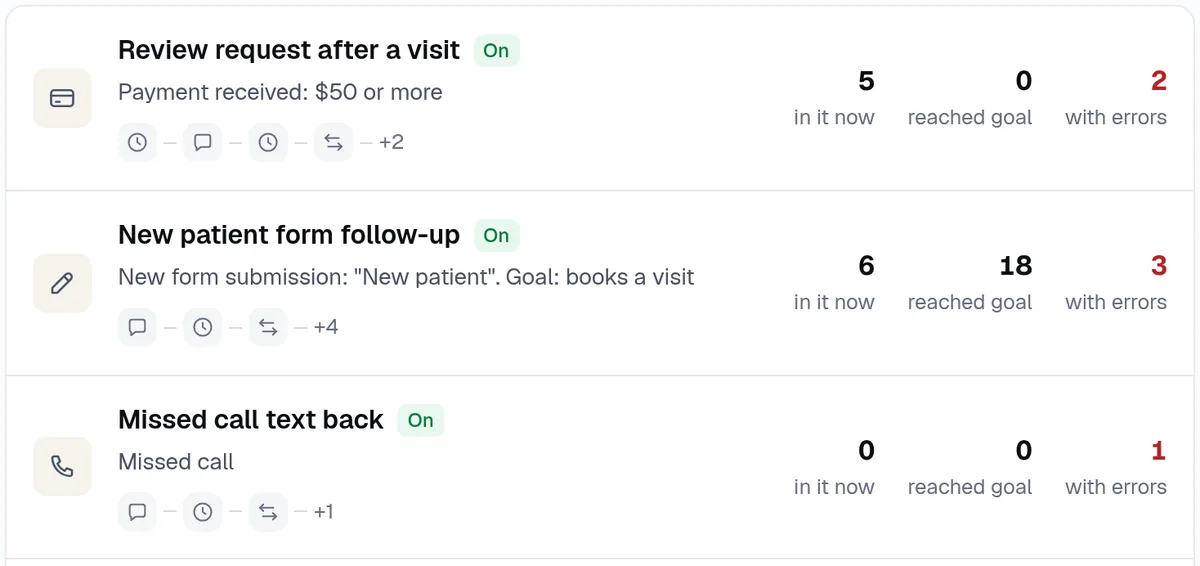
Signed webhooks
A webhook is a message Keystone sends to your server the moment something happens in a client workspace.
- Subscribe an HTTPS address with
POST /v1/webhooks. - Each delivery is signed with HMAC-SHA256 over
timestamp.body, so your server can prove it came from Keystone. - Headers
X-Keystone-Timestamp,X-Keystone-Signature,X-Keystone-EventandX-Keystone-Deliverycome with every delivery. - A failed delivery tries again after 30 seconds, 2 minutes, 10 minutes and 1 hour.
GET /v1/andwebhooks/ deliveries GET /v1/list every delivery and its result.webhooks/ :id/ deliveries
The 15 events you can subscribe to
contact.createdA new contact is addedlead.createdA new lead lands in the CRMemail.receivedAn email that matches your rule arrivesform.submittedSomeone fills in a lead formcall.missedA call goes unansweredmessage.receivedA customer texts or emailsmessage.repliedA customer writes backreview.receivedA new Google review comes inpayment.receivedA customer paysinvoice.overdueAn invoice passes its due datebooking.createdAn appointment is bookedbooking.canceledAn appointment is canceledwebhook.receivedAnother app sends Keystone an updateconnection.createdA client finishes connecting an appconnection.failedA client cannot finish connecting an app
Building a portal for a client? Start from the starter app. Clients sign in with Keystone and see their own contacts, conversations and apps.
See the starter appJobs agencies hand to Keystone
What you type, which way Keystone connects, and the real recording or screen.
-
 A client’s billing app
Computer path: a real browser on a Keystone Computer
You ask your AI
“Write Sarah Miller’s $99 whitening deposit into the client’s billing app and send her the invoice.”
Invoice INV/2026/00011 for $99 posted and sent to Sarah Miller.
Odoo is also in the 1,700+ apps, so a client’s own Odoo connects from the list. The recording shows the computer path a billing app with no connector gets.
Recorded in Odoo’s public demo company. -
 A niche industry tool
Computer path: a real browser on a Keystone Computer
You ask your AI
“Create the engagement job for Elise Morgan on November 28.”
Elise Morgan Engagement saved with the shoot type, date and place.
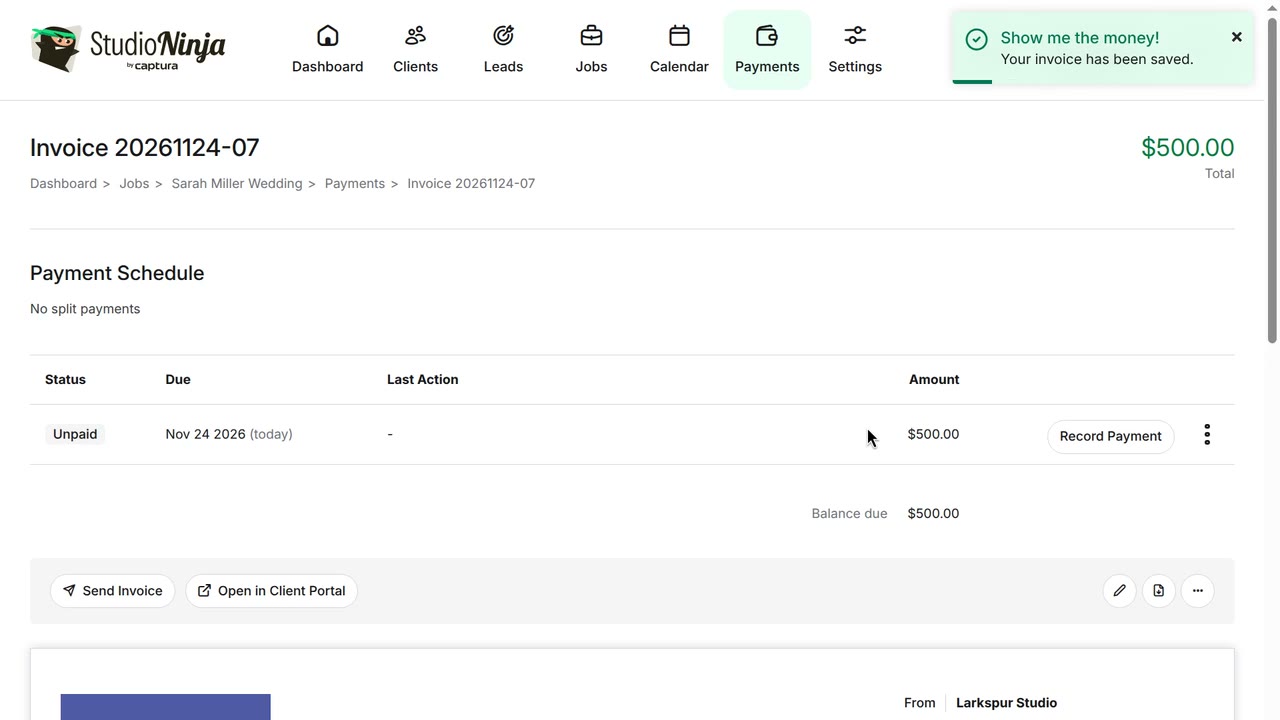
Also taught in Studio Ninja“Save the $500 deposit invoice on Sarah Miller’s wedding.”
The same works for other industry software your clients run, like Buildertrend or ToBook.
Recorded in Studio Ninja, a photo studio app, on a demo account. -
 Apps already in the list
Catalog: one of the 1,700+ apps
You ask your AI
“Pull last week’s Google Ads and Meta Ads spend for Harbor Point Dental.”
Both connect from the list with the client’s own sign-in. No Keystone Computer needed.
API Anything is for the apps that are not in the list. When an app is listed, Keystone uses its connector.
See the ads apps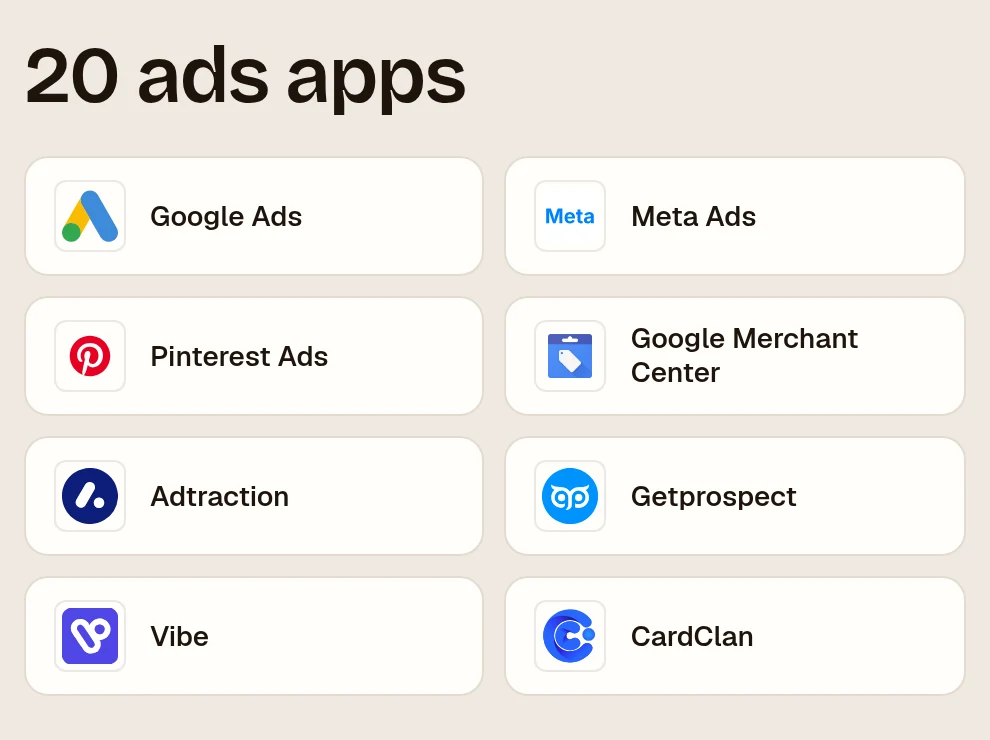
Keystone’s ads apps, from the 1,700+ apps.

$15 a month per workspace for 15 computer hours
API Anything runs on Keystone Computers, one add-on per client workspace.
15 hours included, then $0.20 an hour.
See all pricing- One add-on covers every API Anything app in the workspace.
- Keystone asks you before the first charge.
- Turn it off and it stops renewing. The month you paid for stays usable.
- Trials get 2 computer hours without the add-on.
- API and computer use are billed by usage on every plan.
Questions about API Anything
What is an API, and why does it matter if an app has none?
An API is the set of commands an app offers so other apps can read and change its data. When an app has one, your AI works in it through Keystone directly. When it has none, Keystone uses the app the way a person would, in a real browser on a Keystone Computer.
What if my client’s app is already in the 1,700+ apps?
Then you connect it from the list with the client’s own sign-in, and that app needs no Keystone Computer. If you start setting up an app on the computer path and Keystone finds a connector or an API for it, Keystone offers that path instead. Search the 1,700+ apps
Do I have to share my password?
No. The best way is to invite Keystone’s own email address as a new user in the app, the way you would add an employee. Keystone sets its own password and authenticator. If the app cannot add users, you type an existing login on a secure Keystone page, never in a chat.
What if the app texts a sign-in code to my phone?
Many apps ask for a second check after the password, usually a code. This is called two-factor sign-in, or 2FA. With Keystone Computers, Keystone gets its own phone number for those codes and uses its own authenticator app. If an app only texts your phone, or turns cloud computers away, Keystone can run the job in your own Chrome, where you are already signed in.
Does it work with Claude or ChatGPT?
Yes. Keystone works with Claude, ChatGPT, Grok, Cursor, Codex and T3 Code through MCP, the standard way AI apps plug into outside tools. You add one Keystone link to your AI, and every tool Keystone learns shows up there. Connect your AI
Can my own website or app call these tools?
Yes. Your site or app sends a request to Keystone’s REST API with a personal Keystone token, and the tool runs with the same approvals and workspace limits it has in your AI. Keystone can also send signed webhooks to your site when something happens, like a new lead or a payment. API docs
How is API Anything billed?
API Anything runs on Keystone Computers: $15 per workspace a month, with 15 hours included, then $0.20 an hour. Usage is billed separately on every plan, and no plan includes API or computer use in its price. Keystone asks you before the first charge. Turn the add-on off and it stops renewing, and the month you paid for stays usable. Trials get 2 computer hours without the add-on. See all pricing
Who turns a tool on, and what happens if the app’s screens change?
The account owner or an admin reviews each tool Keystone learns and turns it on, on the API Anything page. If a button moves, Keystone finds the same control and finishes the job, then holds the new steps as a fix for a person to approve. Keystone never changes a live tool by itself.
Can one client workspace use several apps?
Yes. One Keystone Computers add-on covers every API Anything app in that client’s workspace, and the included hours are shared across them. Up to 4 computers can run at once in one workspace.
Where are passwords stored, and what happens to screenshots?
Passwords, codes and saved sign-ins are encrypted for each workspace on Keystone’s servers. No tool ever returns them, and they never appear in logs. When a run fails, Keystone keeps a screenshot so you can see what went wrong, and deletes it after 7 days.